
Baskerville monitors visitor behavior and assigns each session a risk score from 0 to 100, based on activity patterns and technical signals. Based on that score, it:
Real visitors notice nothing. Bots and scrapers get stopped.
Most security plugins rely on static IP blocklists. Sophisticated bots know this and route around them.
Baskerville classifies traffic by behavior, not origin. Instead of a binary allow/deny decision, it applies graduated responses — allow, challenge, or block — based on a dynamic risk score. This means fewer false positives (legitimate users don't get caught in the crossfire) and stronger coverage against novel attack patterns that no blocklist has seen yet.
The scoring system runs on a 0–100 scale, giving you the flexibility to tune how strict or permissive enforcement should be.
Baskerville works out of the box. Activate it and it starts monitoring traffic immediately — no API keys, no external services, no complicated setup. When you're ready, fine-tune thresholds, country rules, and verification behavior from the settings panel.
- Probabilistic scoringAssigns each visitor a dynamic risk score (0–100) based on behavioral and technical signals.
- Graduated responsesDistinguishes clearly legitimate traffic, uncertain cases, and high-risk automated behavior.
- Browser fingerprint analysisCanvas, WebGL, Audio, and feature-consistency checks detect automation that mimics real browsers.
- Honeypot detectionIdentifies bots that interact with hidden elements real users never see.
- Configurable thresholdsDefine exactly when traffic should be allowed, challenged, or blocked.
- Traffic categoriesVerified Bot, Bot, Bad Bot, and AI-related traffic are classified separately.
- Transparent decision logsSee exactly why each visitor was classified or restricted.
- AI traffic identificationDetects automated traffic from OpenAI, Meta, Google, and others based on network and behavioral signals.
- Per-provider access controlApply custom policies (allow, challenge, restrict, or block) per AI provider.
- Live visibilitySee which AI platforms are accessing your site in the real-time traffic dashboard.
- Built-in country detectionNo external API required.
- Block or allow specific countriesBlocklist or allowlist by country code.
- Real-time visibilityCountry breakdown in the live dashboard.
- Adaptive verificationLightweight challenge for borderline traffic — passes humans, stops bots.
- "Under Attack" modeChallenge all incoming traffic during high-threat periods.
- Reduced false positivesChallenge-based validation before blocking.
- AnalyticsPass rate and failure rate metrics.
- Real-time dashboardVisitor classification and current security activity.
- Live activity feedIncoming traffic with bot score and country.
- Verification metricsChallenge rate and pass rate for Turnstile accuracy.
- Enforcement historyWhen and why a specific IP was blocked or restricted.
- Historical trendsHourly, daily, and weekly traffic data.
- Country distribution chartsGeographic traffic patterns at a glance.
This visibility lets you understand how traffic is being classified and managed, rather than relying on an opaque security black box.
- Block reason trackingShows exactly why a visitor was blocked.
- IP allowlistTrusted IPs are never blocked — essential for testing and administration.
- Rate limiting and burst protectionPrevents requests from overwhelming your server.
- Temporary IP bansAuto-expire after a configurable period; allowlisted IPs always bypass.
- Classification overrideChoose to restrict all bots, or only high-risk ones.
| Score | Classification | Action |
|---|---|---|
| 0–39 | Low risk | Allowed through |
| 40–70 | Uncertain | May receive Turnstile challenge |
| 71–100 | High-risk automated behavior | Restricted based on configuration |
- Connect via FTP or SSH
- Navigate to /wp-content/plugins/
- Rename the baskerville-ai-security folder to deactivate the plugin
- Log in, fix the issue, then restore the folder name
Live views from the Baskerville dashboard showing traffic classification, enforcement activity, and analytics.
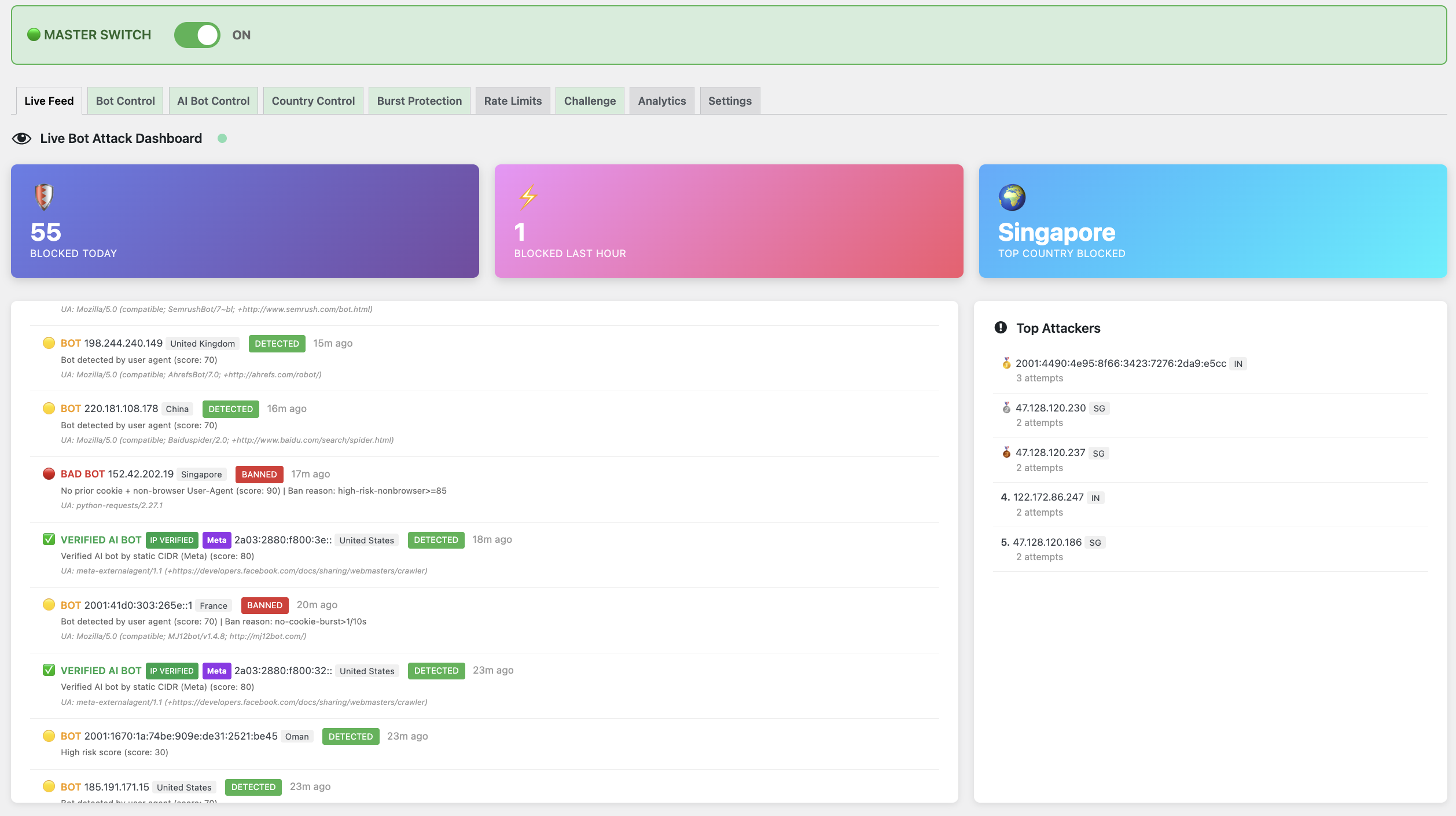
Real-time traffic feed
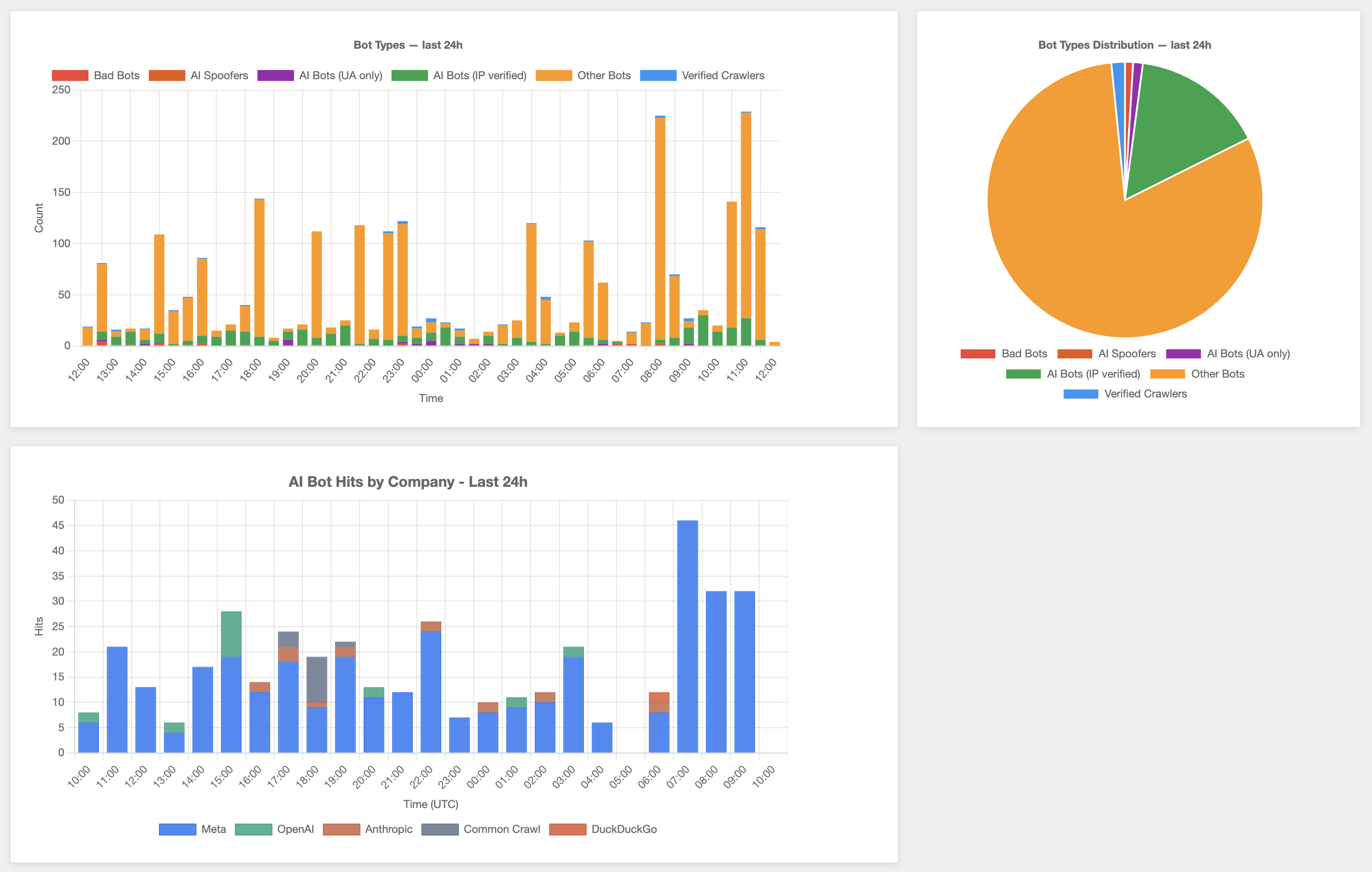
Historical traffic trends
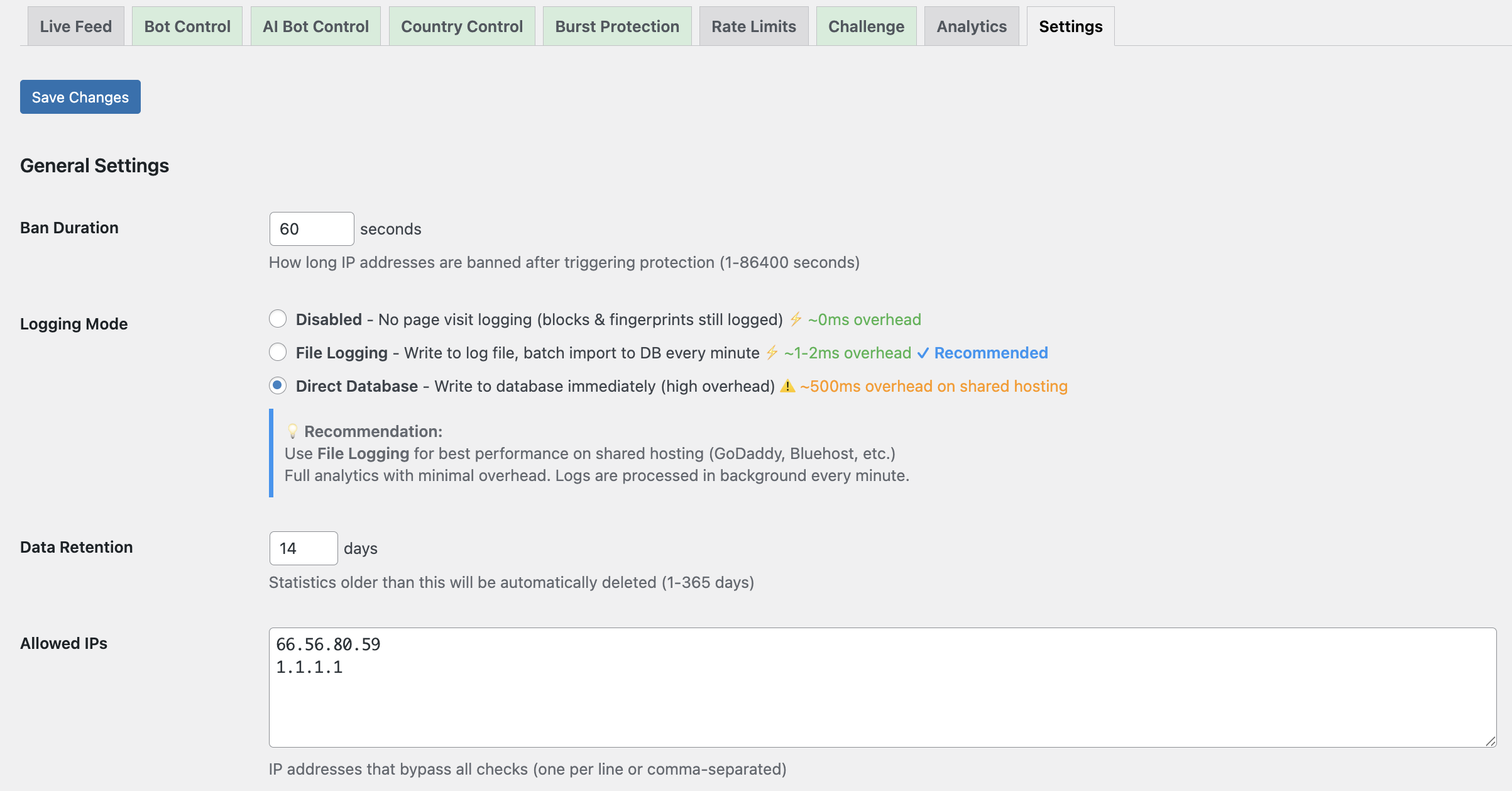
Configuration options
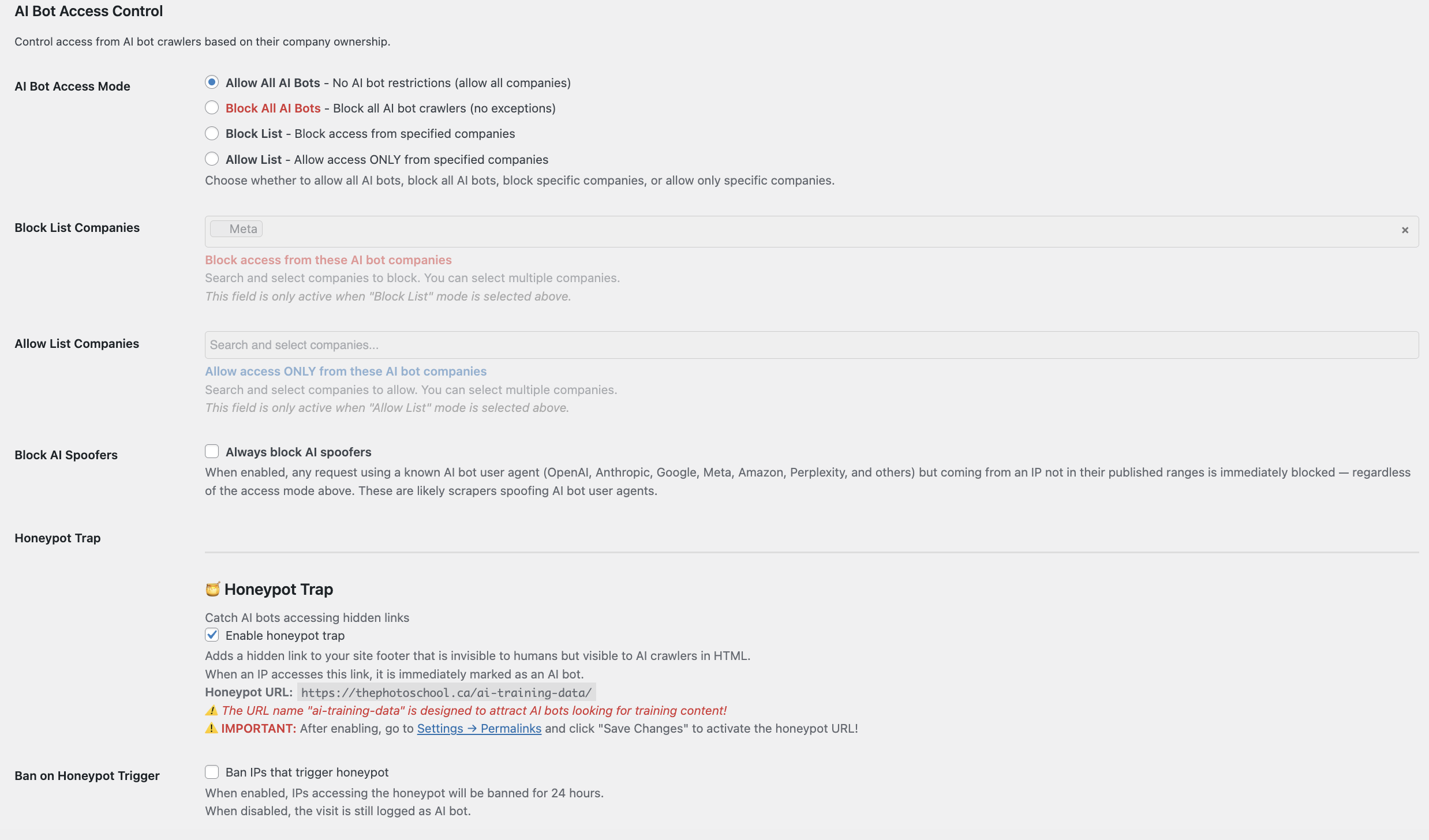
Per-provider AI rules
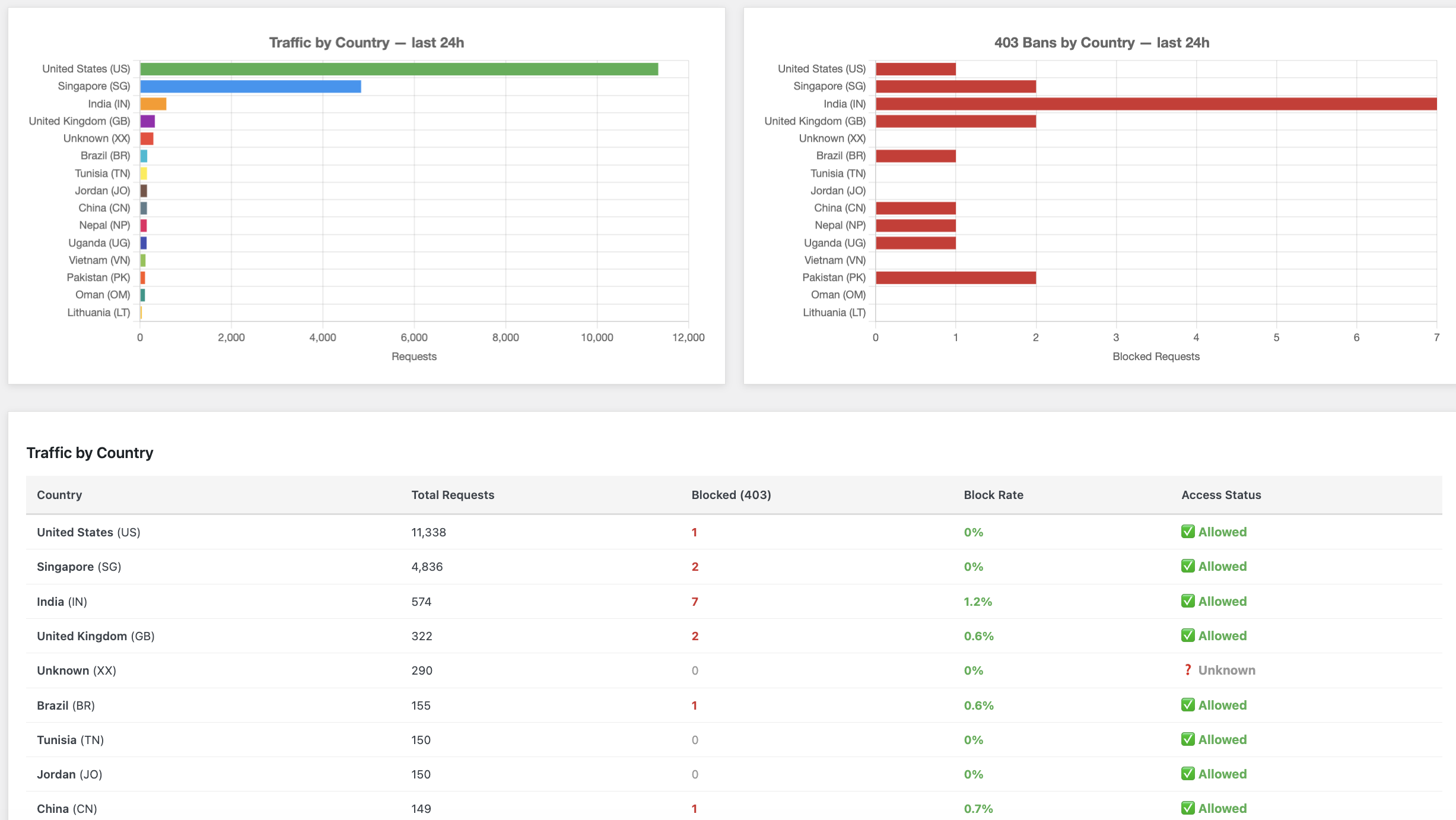
Geo-IP rules
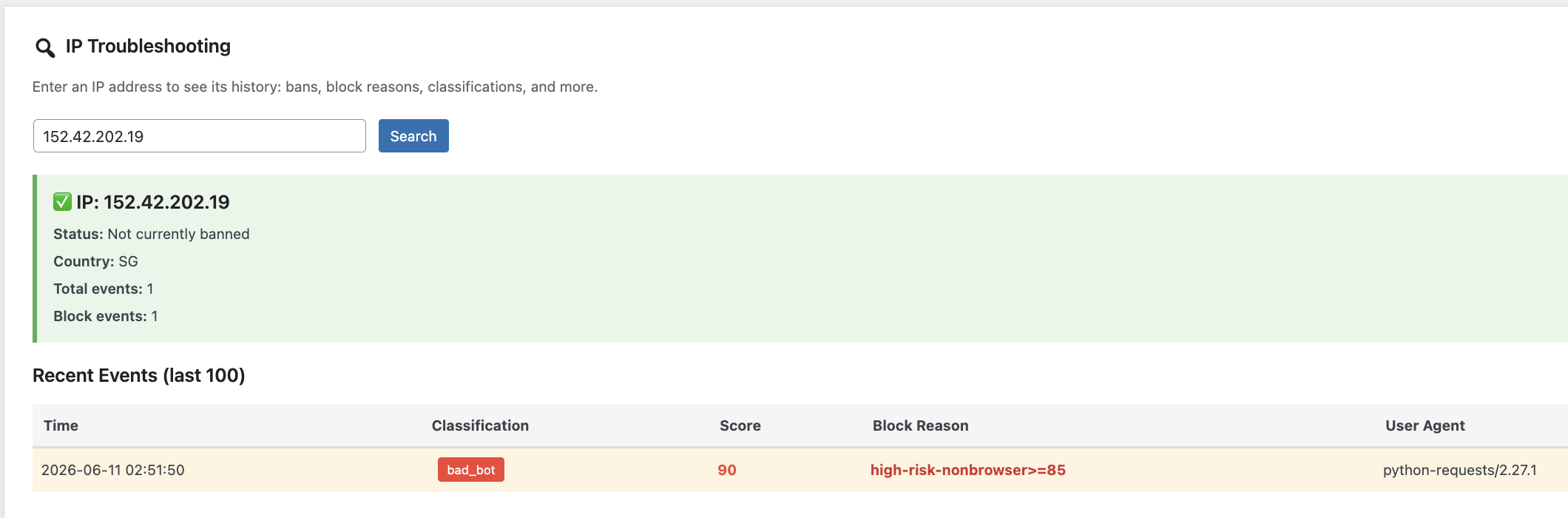
Block reason detail
Bug Reports & Feature Requests
Use the WordPress.org support forum for plugin issues and feature suggestions.
wordpress.org/support/plugin/baskerville-ai-security/